
 Harriet Wetton
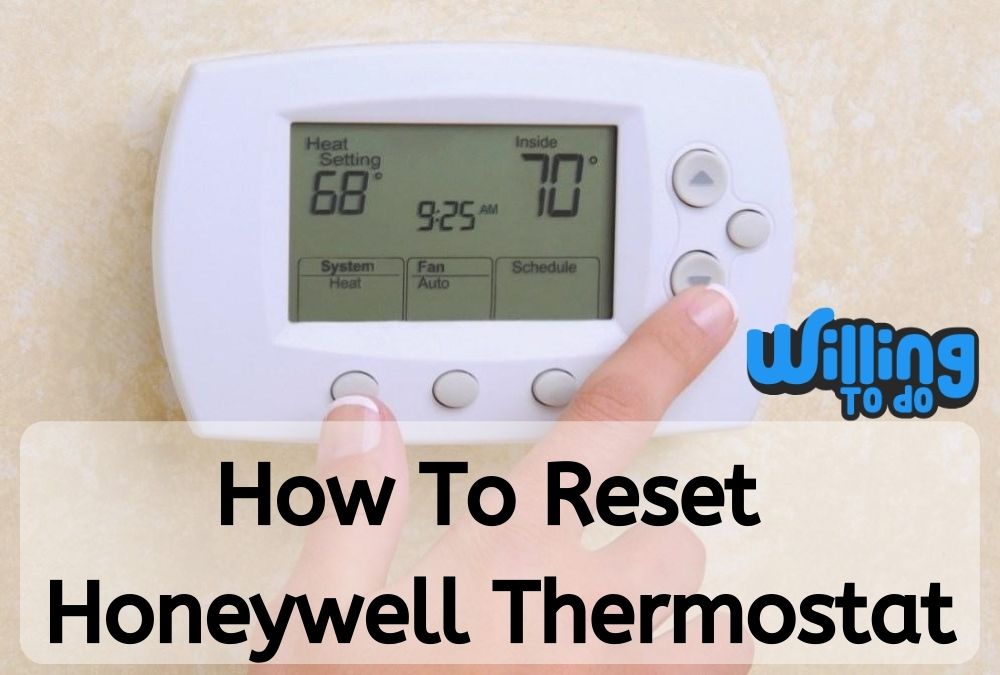
If you use a thermostat at home or at the office, you have probably faced some commofrustrations. Maybe the screen is blank, the schedule is acting up, or the Wi-Fi simply refuses to connect.
In this post, we will walk you through the exact steps of how to reset Honeywell thermostat models to factory or default settings.
Whether you have an older manual model or a brand new smart device, a reset is often the quickest way to fix glitches and get your comfort back on track.
At home, thermostats are frequently left on, and children may accidentally alter the HVAC system when they return from school. This often results in higher utility costs toward the end of the month that catch you by surprise.
In an office setting, these devices are adjusted even more frequently. Some colleagues might prefer a colder setting, while others complain about it being too hot.
Over time, repeated tampering and heavy use might lead these devices to fail or work inefficiently. Knowing how to perform a quick reset can save you a costly visit from an HVAC technician.
Why You Might Need to Reset Your Honeywell Thermostat
Before we dive into the specific series, it is helpful to understand why a reset is necessary. Much like a computer or a smartphone, the internal software of a programmable thermostat can occasionally “freeze” or encounter a bug.
A factory reset clears out these temporary errors and restores the device to the state it was in when it first left the box. This is also a vital step if you have moved into a new home and want to clear out the previous owner’s heating and cooling schedules.
A simple reset can resolve issues such as:
- The thermostat not following the programmed schedule
- Connection drops with your home Wi-Fi network
- Incorrect temperature readings
- Unresponsive touchscreens or buttons
Related Products on Amazon
How to Reset Honeywell Thermostat 1000 Series
This specific model from Honeywell is a non-programmable thermostat known for its simplicity and reliability. If you have lost the owner’s manual, it is still available on the official Honeywell website for reference.
If you are wondering how to reset Honeywell thermostat 1000 Series units, you should know that these models rely on battery power to maintain their memory. We will use a “reverse battery” method to clear the internal logic.
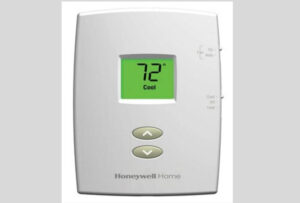
Follow these steps carefully to ensure a successful reset:
Step One: Set the thermostat switch to the “OFF” position.
Step Two: Head over to your circuit breaker box and turn the power to the HVAC system to “OFF.” This is a safety precaution to protect both you and the equipment.
Step Three: Gently remove the thermostat body from the wall plate. Most 1000 series models snap off with a firm tug.
Step Four: Look at the back of the unit. You should see two AAA Alkaline batteries present.
Step Five: Remove these batteries completely.
Step Six: Insert the batteries backwards. This means the negative pole should line up with the positive terminal in the battery compartment.
Step Seven: Leave the batteries placed backwards for at least five to ten seconds. This drains the remaining electrical charge from the capacitor, clearing the memory.
Step Eight: Remove the batteries once more.
Step Nine: Put them back in the correct way, ensuring the polarity matches the markings.
Step Ten: The display should now turn “ON” and show the default factory screen.
Step Eleven: Fix the thermostat back onto the wall plate and switch the power back “ON” at the circuit breaker box.
There you are; you now have a thermostat that has been successfully reset to its default factory settings. This is a great way to be the best employee or homeowner by keeping the utility bills in check.
The Honeywell Thermostat 2000 Series
Are you looking for how to reset Honeywell thermostat with no reset button? The 2000 series was a significant step for Honeywell as they began producing programmable models that were accessible for the average homeowner.
This is a widely used model because of its versatility. Honeywell has done an outstanding job in manufacturing this particular model to be rugged and long lasting.
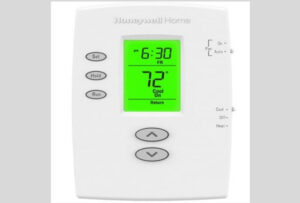
These Honeywell 2000 series thermostats are compatible with gas, oil, or electric furnaces. They also work seamlessly with centralized air conditioners, hot water systems with or without a pump, millivolt systems, and standard central heating and cooling units.
If you need to know how to reset Honeywell thermostat 2000 Series devices, the process is actually identical to the 1000 series mentioned above.
Because these units also rely on AAA batteries for memory retention, performing the reverse battery trick mentioned in the previous section will wipe the current programming and return it to the factory defaults.
Just remember to stay hydrated while working around the house, especially if your AC is currently out of order!
The Honeywell Thermostat 4000 Series
This specific series is one of the more robust programmable thermostat lines. If you are trying to master how to reset Honeywell thermostat 4000 series units, you need to be aware of their technical nature. These are often used with high voltage systems, so extra care is required.
The Honeywell 4000 series thermostats are typically consistent with electric heating systems such as:
- Baseboard heaters
- Radiant ceiling systems
- Convectors
- Fan-Forced Heaters
However, it is important to note that this series is “NOT” compatible with resistive loads under 1.25A or over 12.5A. It also won’t work with systems driven by a contactor or a relay, or standard central heating systems.
Word of Advice: This thermostat is a line voltage control (120 to 240 Volts). Do not attempt to install or remove it if you are not familiar with house wiring.
If misused, there is a serious chance of an electric shock hazard that may lead to injury. If you feel unsure, it is always better to call a professional who knows how to become a businessman in the HVAC industry.
Step-by-Step Reset for the 4000 Series
Once you understand the electrical requirements, performing the reset is quite simple. Follow these steps:
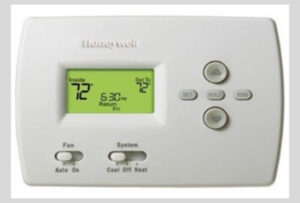
Step One: Make sure the device is currently turned “ON.”
Step Two: Press and hold the button labeled “PROGRAM.”
Step Three: While holding that button, use a small, pointed object like a paperclip to press the “Reset” hole on the thermostat.
Step Four: Wait for approximately one second while the system cycles.
Step Five: Release the “PROGRAM” button.
Keep in mind that once the thermostat is reset, you will need to re-adjust the clock and redo all of your custom heating and cooling schedules. This is a good time to think about how to stay hydrated throughout the day while you re-program your home environment.
The Honeywell Thermostat 6000 Series (Wi-Fi Models)
Are you wondering how to reset wifi on Honeywell thermostat? The 6000 series is a very popular Wi-Fi enabled programmable model.
To operate this model over the internet, you usually sign up for an account on the Honeywell registration page.
This allows you to remotely control your home temperature from your phone. However, when the Wi-Fi acts up, a reset is the only solution.
The Honeywell 6000 series thermostats are consistent with:
- Traditional systems (Natural gas forced air with A/C)
- Multistage equipment
- Hydronic systems
- Various heat pump models
Important Tip: To avoid any compressor damage, do not run the air conditioner when the outside temperature is below 10°C (about 50°F).
Doing so can cause the fluids inside to thicken and damage the unit. If you are feeling stressed by these technical details, you might want to look into how to manage stress in daily life.
Resetting the 6000 Series Wi-Fi Settings
If you need to take control over your home comfort and fix a connection issue, follow these specific steps for the 6000 series:
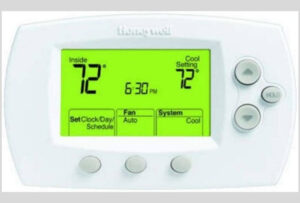
Step One: Ensure your device is powered “ON.”
Step Two: Press and hold the “FAN” button. Do not release it yet.
Step Three: Simultaneously press and hold the “UP” arrow button.
Step Four: Hold both buttons together for about five seconds and then release them.
Step Five: Press the fourth button from the left until the number on the display changes to “39.”
Step Six: Using the arrow key, press the “DOWN” arrow until you see the digit “0.”
Step Seven: Press the “DONE” button.
Step Eight: You will now see the “Wi-Fi” setup message blinking on the screen, indicating it is ready to be reconnected to your network.
The Honeywell Thermostat 7000 Series
The 7000 series is another programmable staple in many modern homes. It is designed to work with more complex systems, including:
- Multistage Heat and Cool units
- Heat Pumps (with or without backup heat)
- Heat only or Cool only configurations
How to Reset Old Honeywell Thermostat (7000 Series)
If you are trying to figure out how to reset old Honeywell thermostat models in the 7000 range, you will find the process very familiar.
Much like the 1000 and 2000 series, this model uses a physical battery interruption to reset the onboard memory.
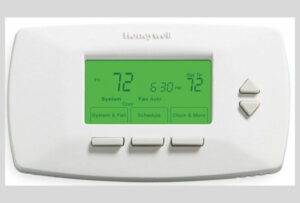
Step One: Set the thermostat to the “OFF” position.
Step Two: Shut off the power at the circuit breaker box.
Step Three: Pull the thermostat away from the wall plate.
Step Four: Locate the two AAA Alkaline batteries.
Step Five: Remove the batteries from their slot.
Step Six: Re-insert them backwards for five seconds.
Step Seven: Take them out again and put them back in correctly.
Step Eight: Snap the unit back on the wall and restore power. Your 7000 series is now fresh and ready for new programming.
Resetting the Honeywell Lyric T Family (T5 and T6)
The Honeywell Lyric T5 and T6 are modern, Wi-Fi enabled smart thermostats. They are stylish and compete directly with other big names like Nest.
Because these have full touchscreens, the reset process is handled through the on-screen menu rather than batteries. Here is how to reset Honeywell thermostat Lyric models.
To Reset the Schedules Only:
- Touch “MENU” on the thermostat home screen.
- Touch the left or right arrows until you see the “RESET” option.
- Touch “SELECT.”
- Navigate to “SCHEDULE” and touch “SELECT.”
- Confirm by touching “YES.”
To Perform a Full Factory Reset:
- Go to the “MENU.”
- Navigate to “RESET” and tap “SELECT.”
- Choose the option for “FACTORY” reset.
- Confirm with “YES.” This will wipe all settings, including Wi-Fi and advanced installer setups.
The Honeywell 8000 Series (VisionPro)
The 8000 series features large, 10-inch touchscreens that are very easy to read. These are among the most stable and durable devices Honeywell has ever built.
They typically run on four AA batteries and are compatible with almost any heating or cooling system imaginable, including hydronic and heat pumps.
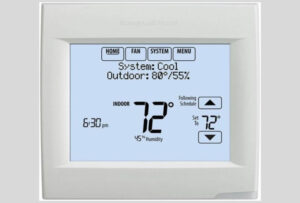
How to Reset Honeywell Thermostat 8000 Series
Because these are professional-grade units, the reset is hidden within the system menu:
Step One: Ensure the device is powered on.
Step Two: Press the “SYSTEM” button on the screen.
Step Three: You will see a blank button in the center of the screen. Hold this button down for five seconds.
Step Four: A new menu will appear. Select “Reset to factory settings.”
The Honeywell 9000 Family and Vision Pro Smart
This is the top-of-the-line series. It features voice control, smart home integration, and intelligent response technology.
It can actually learn if your home needs more cooling in the afternoon based on previous patterns. Knowing how to reset Honeywell thermostat 9000 series units is essential for maintaining your “comfy zone.”
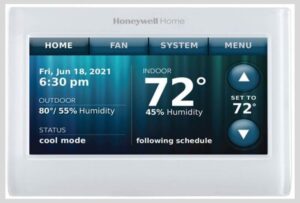
The 9000 series integrates with almost every smart home platform, including:
- Amazon Alexa and Google Assistant
- Samsung SmartThings
- IFTTT and Microsoft Cortana
To reset this high-tech device, follow these steps:
Step One: Press the “MENU” button on the screen.
Step Two: Scroll down and select “PREFERENCES.”
Step Three: Find the option for “RESTORE TO FACTORY DEFAULT.”
Step Four: Tap “YES” to confirm. The device will reboot and be ready for a fresh setup.
Frequently Asked Questions (FAQ)
Will resetting my thermostat delete my Wi-Fi settings?
Yes, a full factory reset will usually remove your Wi-Fi credentials. You will need to reconnect the device to your router and re-enter your password once the reset is complete.
How often should I reset my Honeywell thermostat?
You don’t need to reset it on a regular schedule. Only perform a reset if the device is lagging, not following your schedule, or if you are moving into a new home and want to clear previous settings.
What if my Honeywell thermostat screen stays blank after a reset?
If the screen is blank, first check your batteries. If the batteries are fresh, ensure the circuit breaker is on. A blank screen often means the device isn’t getting power from the wall or the batteries.
Does a reset fix a thermostat that won’t reach the target temperature?
A reset can fix software glitches that prevent the HVAC from turning on, but it cannot fix mechanical issues like a broken AC compressor or a furnace with a bad igniter. If a reset doesn’t work, you may need a technician.
Can I reset my thermostat using the mobile app?
While you can change schedules and temperatures via the app, most Honeywell models require you to perform a full factory reset directly on the physical device for security reasons.
Conclusion
Honeywell has remained an innovator and industry leader in the world of climate control for decades. While newer brands like Nest have made waves, Honeywell’s vast range of series provides a competitive edge for every type of home and budget.
Learning how to reset Honeywell thermostat models is a valuable skill that keeps your home comfortable and your energy bills predictable.
By following the steps outlined for your specific model, you can resolve most common issues in just a few minutes without needing to call for professional help. If you enjoyed this technical guide, you might also find our guide on how to earn with Google AdSense helpful for your own web projects!